Your activities, resources and opening hours set up only once
This is where what is really sellable is set, and when. The public journey is only the consequence of what you describe on these few screens.
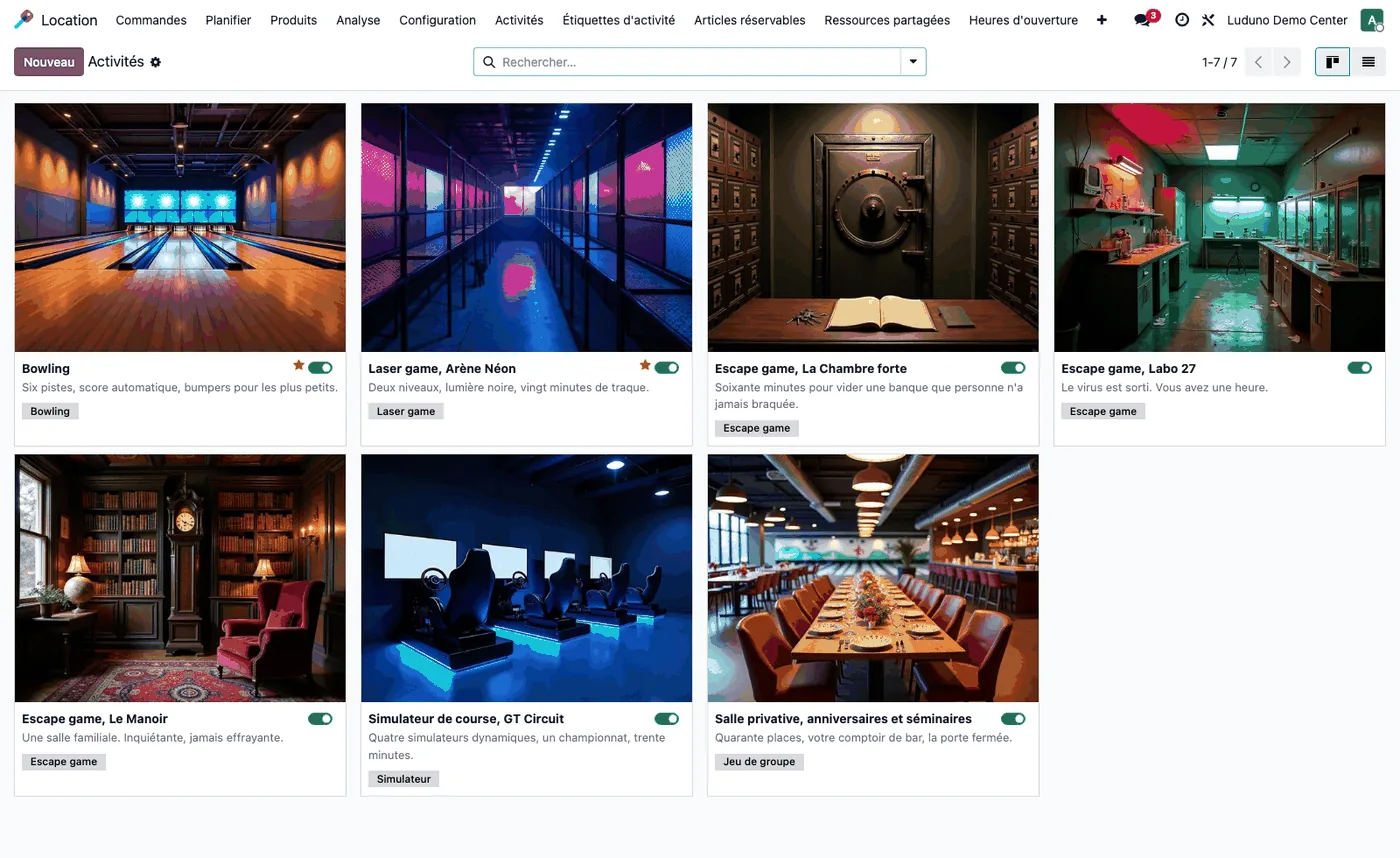
One record per offer, with what makes it sellable.
Duration, group size, minimum age, photo, description, category. You activate, deactivate, feature. What you tick here is what the customer sees online within seconds.
Shared resources at the heart of the availability calculation
Six bowling lanes, twenty-four laser game places, eighteen escape game places, four simulator stations, a briefing room, a private room. Each resource serves several offers, and a place taken by one is no longer sellable by another. That is what distinguishes a true availability calculation from a shared diary.
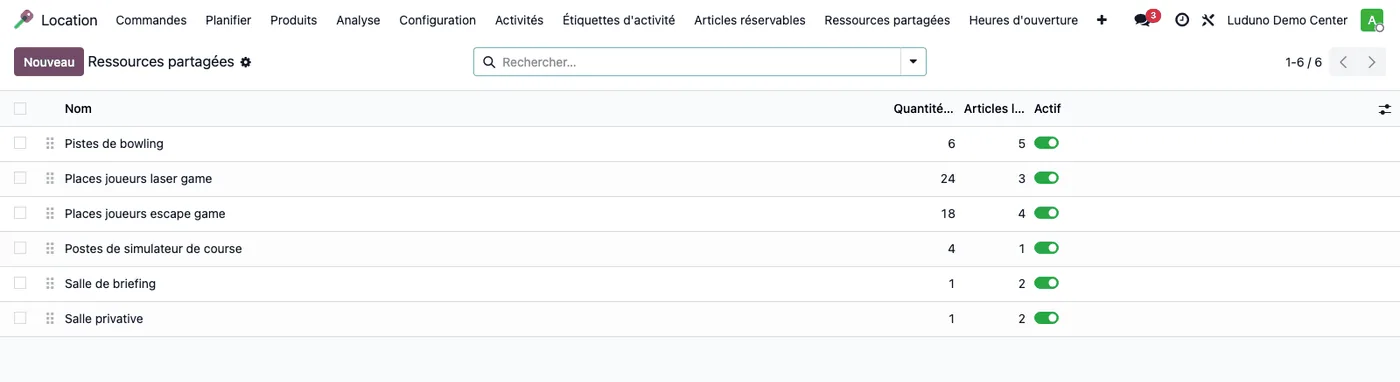
The "Linked items" column shows how many different offers draw from the same pool. This is where cross availability is born.
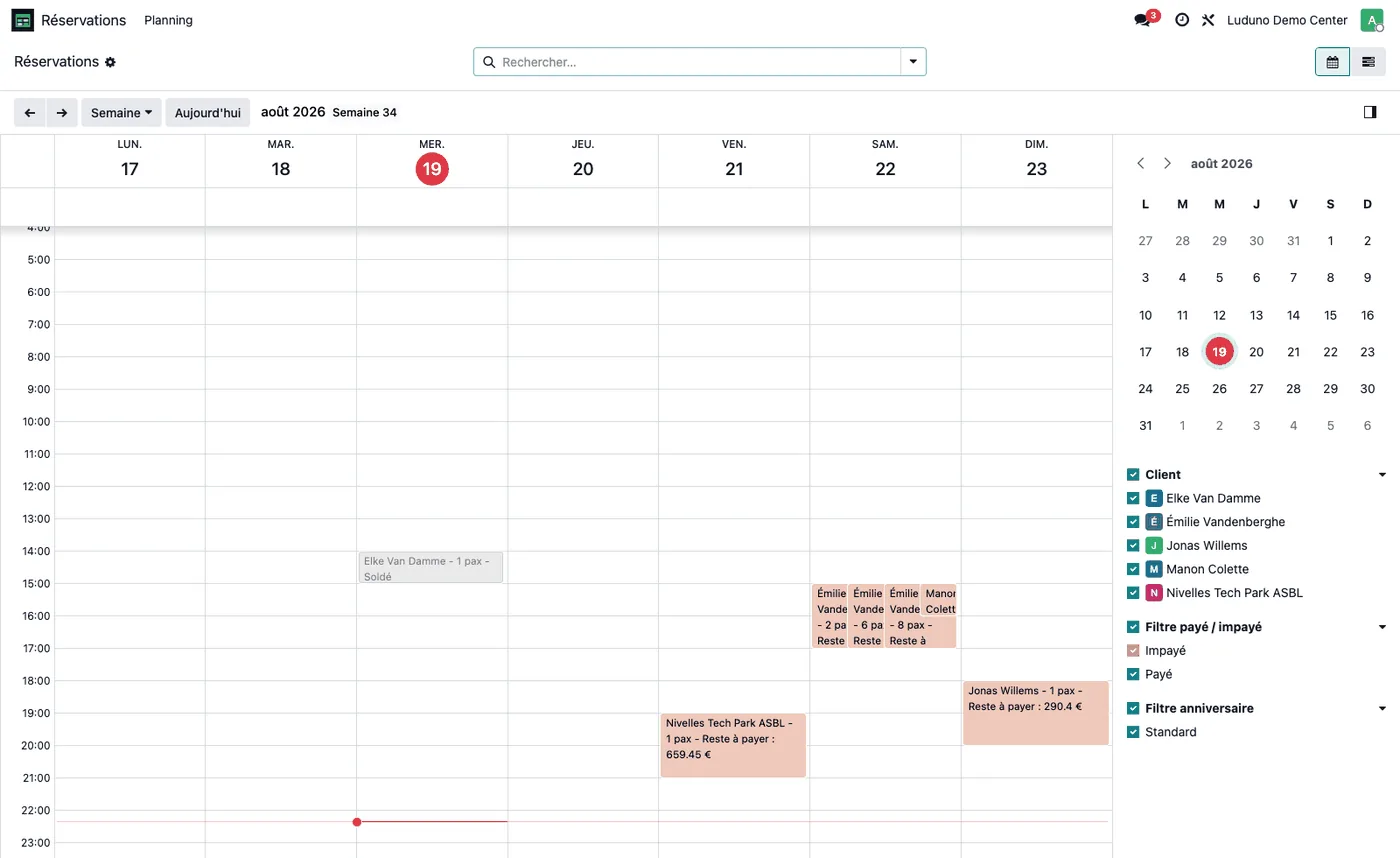
The booking schedule, instead of the notebook.
All bookings, online and by phone, in a single view. Filtered by customer, payment status, package type. What your team used to check in a folder, they now see here, up to date, on the counter screen.
A Saturday does not have the hours of a Tuesday.
Opening and closing hours specific to each day of the week, weekly closing day, late nights on Friday and Saturday. The public calendar follows without anyone having to think about it, and a slot outside hours is never offered.
What the operator of a multi-activity games centre sees.
Setup is done once: each lane, each room, each station becomes a shared resource between the offers that use it. After that, the typical day is managed without rethinking it: that is the difference between a booking application and a simple online diary.
- In the morning, the team opens the weekly schedule and sees at a glance the school groups, the birthdays and the time slots still free, with no notebook or double entry between two tools.
- At reception, an online booking for an escape game consumes the same resource as a session sold at the counter, if both offers share the room or the lane: the availability shown to the customer is always the real one, never an estimate.
- At the till, each activity:bowling, karting, laser game, escape gamefeeds back into the same invoicing module, with no re-keying or manual export between two software packages.
- At the end of the day, the opening hours specific to each day automatically close the slots that must no longer be offered, including during a private event or an exceptional closure.
That is what centre management software designed for a multi-activity indoor games centre does: each module, activities, resources, schedule, hours, feeds the same availability calculation, from the back office to the online booking page.
The rest of the product: online booking page, cash register and accounting and Luduno on mobile. Looking first to see whether Luduno fits your activity? The page for whom answers it.
Your rooms, your pools and your opening hours set up before the demonstration
We set them up before the demonstration, so that you judge on your own reality, not on an example.